What's new in 3.0
ZAANIX 3.0 is a redesign — five sections, Agent Home, inline AI, scheduled missions, a no-model mode, one design system and a simpler backend — with every feature kept.
ZAANIX 3.0 is a redesign with one rule: fewer surfaces, never fewer features. Everything 2.x did is still here, in fewer places, and every old link still opens the right page.
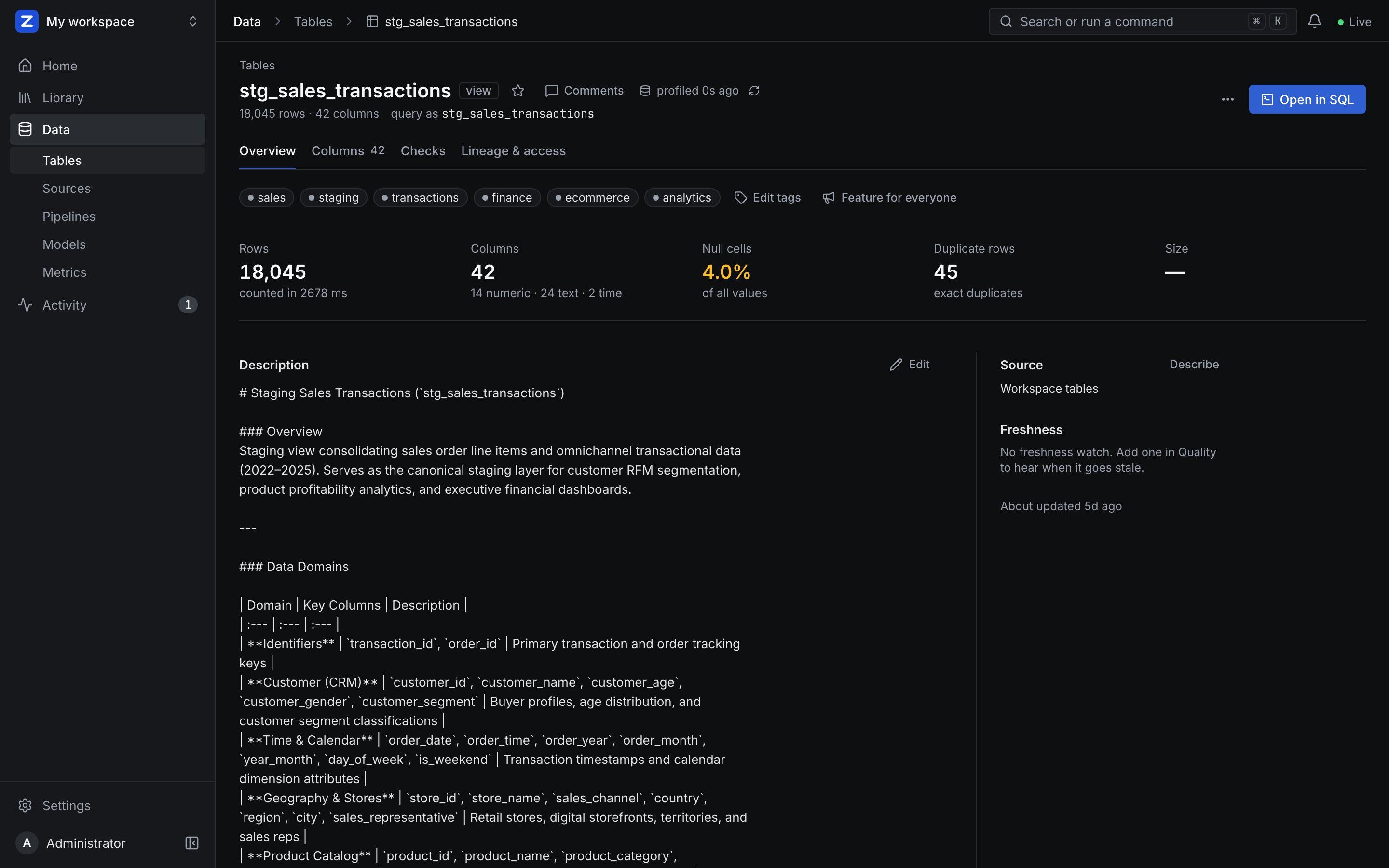
Five sections#
A slim sidebar holds Home, Library, Data, Activity and Settings.
| Section | What is there |
|---|---|
| Home | The agent: one prompt, what needs you, and where you left off |
| Library | Every dashboard, Mosaic dashboard, notebook, saved query, app, brief and mission, in one list with a type filter |
| Data | Tables (a page per table: overview and profile, columns, checks, lineage and access), Sources, Pipelines (syncs, streams, reverse ETL), Models (dbt) and Metrics |
| Activity | Needs you (held changes, failing checks, insights), Runs (every kind), Alerts and Comments |
| Settings | Six searchable groups: Profile, Workspace, People, AI, Developers, Admin |
Every page is one of three shapes — a list, an object with at most four tabs, or an editor — with one primary action and everything else in "..." and ⌘K. The SQL workbench, notebooks, dashboards, data apps, dbt projects, the semantic layer and Prepare are all editors with the same header and panels.
AI where you work#
- Agent Home. Ask a question about your data and the agent plans, queries ZAANIX as you, and answers with findings, charts, tables and SQL. It runs inside the server now: no second app, port or sign-in.
- Inline AI replaces the Copilot drawer: Ask about this in every object's "..." menu, ⌘I to write SQL, Fix on a failed query, Explain on a result, Write this cell in notebooks, Describe and Suggest checks on tables, Build with AI for dashboards.
- Scheduled missions replace hosted agents: the agent on a schedule, read-only by default, a brief per run sent to Slack, Teams, email or a webhook — from templates (including eight Research investigators) or your own words.
- No model? Still whole. With no AI configured, every AI action is hidden — not greyed out — and everything else works. Home becomes search and four plain starts.
One design#
Two themes, Light and Dark, one accent that means "act here", Inter and JetBrains Mono, flat surfaces and tables first. A lint in the build keeps every page on the design system.
A simpler backend#
One job runner for every schedule, one table of runs for every kind, one table of connections, and eight modules (Sources, Pipelines, Modelling, Analysis, Delivery, AI, Governance, Platform). Nothing is kept only in a process's memory, so a restart or another cluster node carries on. Live updates arrive over one shared connection instead of polling.
Upgrading from 2.x#
- Back up the metadata store (
/app/meta, or your PostgreSQL database), then start 3.0: migrations run on start and move schedules, runs, connections, hosted agents and chat history into their new homes. - The AI settings are
AI_PROVIDER,AI_MODEL,AI_API_KEY(andai.*in the config file); the 2.x namesCOPILOT_*andcopilot.*still work in 3.0. - Data from the separate ZAANIX Agent app comes over with
zaanix import-agent-data --from agent.db. - Publish port
4201too when you use data apps: they are served from their own origin.