Notebooks and comments
SQL notebooks where each cell builds on the one above, inputs as variables, saved outputs and safe autosave — and comments with @mentions on notebooks, dashboards and tables.
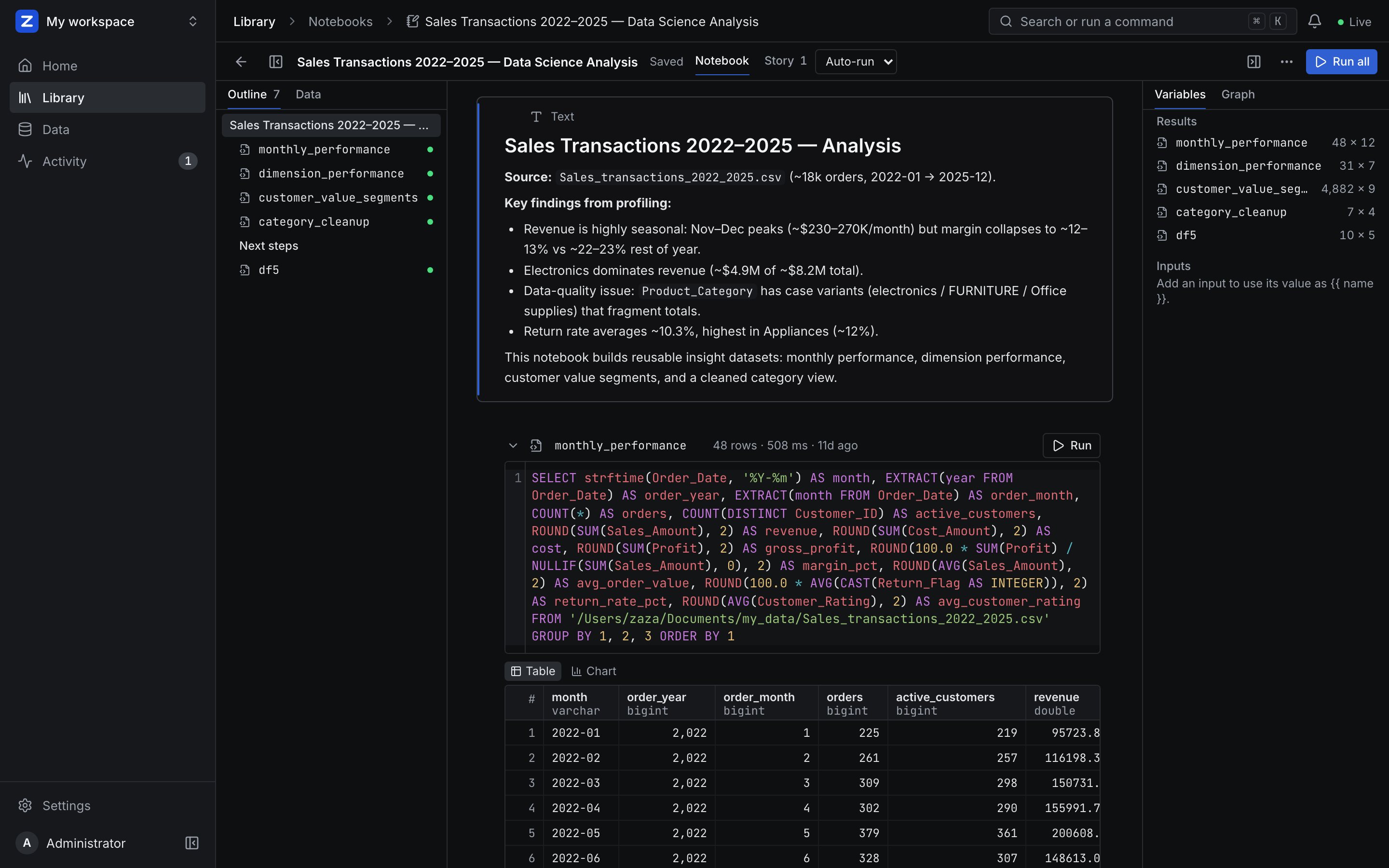
SQL → Notebooks holds analyses as a sequence of cells: Markdown text, inputs and SQL.
Cells that build on each other#
Every SQL cell has a name (monthly, df1). A later cell that mentions it reads its result:
-- cell "monthly"
SELECT date_trunc('month', order_date) AS month, sum(amount) AS revenue
FROM orders GROUP BY 1;

-- a later cell
SELECT * FROM monthly WHERE revenue > 1000;
The earlier cell is added as a CTE, so nothing is materialised and every run is one query through the same path as the workbench — the SQL guard, access policies, the cache and the audit log apply. Only cells above can be referenced. Cells that write (CREATE TABLE AS, INSERT) run on their own.
Inputs#
An input cell — text, number, date or a list of options — named region is used as {{ region }} and becomes a SQL literal: numbers as numbers, dates as DATE '…', everything else quoted. Never raw SQL.
Outputs, saving and running#
- Outputs are saved with the notebook (the first 500 rows, who ran it and when) when an editor runs a cell, so viewers, exports and agents see results without re-running. Viewers can change inputs and run cells for themselves.
- Autosave under a second after typing. If someone else saved in between, the save is refused with who it was, and the notebook offers their version — nobody's work is silently overwritten.
- Run all runs the SQL cells top to bottom and stops at the first error; ⌘↵ runs the focused cell. Autocomplete knows the workspace's tables and the cells above with their columns.
- Export as Markdown: text as it is, SQL in fenced blocks, outputs as tables.
- Version history keeps every save; see Governance.
ZAANIX AI sees the open notebook and writes SQL that fits it (Add as cell, Run & inspect). Agents create notebooks (create_notebook, running the cells by default) and run them (run_notebook); cells that write need approval.
Comments and mentions#
Conversations sit next to the data: a thread on a notebook or one of its cells, a dashboard, a table (from the Data explorer), a saved query or a data app.
- Anyone who can see the workspace comments, viewers included. Editors and the thread's author resolve and reopen threads.
- Type
@to mention someone with access to the workspace. They get an item in their inbox (the bell in the top bar) and, with a mail server set up, an email with a link to the thread. Everyone in a thread hears about each reply. - ZAANIX AI sees a notebook's open threads; agents read and add comments (
list_comments,add_comment).