Getting started
From zero to your first query, dashboard and agent mission in a few minutes.
Run ZAANIX#
ZAANIX is available on request — talk to us and we will give you access to the image and the deployment files, and help you set it up. It runs as one container (multi-arch, linux/amd64 and linux/arm64) with two volumes: /data for your data and /app/meta for its metadata.
Once it is running, open http://localhost:4200. The first person to open it creates the administrator account (or set ZAANIX_ADMIN_EMAIL and ZAANIX_ADMIN_PASSWORD to create it at start). Compose, Kubernetes and clusters are in Deployment.
Without
JWT_SECRETandENCRYPTION_KEYthe server starts with secrets generated for that run and warns you: sign-ins and stored credentials will not survive a restart. Set them for anything beyond a first look.
Find your way around#
The rail on the left has eight sections; ⌘K reaches everything from anywhere.
| Section | What is in it |
|---|---|
| Home | Recent queries, datasets and dashboards; what changed in your metrics; templates |
| Data | The Data explorer, Prepare, Models (dbt), Metrics, Quality, Catalog, Lineage, Compare and Access policies |
| SQL | The SQL workbench and Notebooks |
| Dashboards | Dashboards, Alerts, Snapshots and Channels |
| Apps | Data apps — Streamlit, Dash and Gradio |
| Agents | What agents are doing, what waits for your approval, ZAANIX agents, MCP clients and the tools |
| Connections | Configured sources, the source catalog, Syncs, Streams and Reverse ETL |
| Settings | Workspace, appearance, security, integrations, usage and administration |
Every person gets My workspace on first sign-in — a DuckDB file in the data directory, so tables survive restarts. Create more from the workspace switcher: in the data directory, any folder on the server, cloud storage (S3, R2, GCS, Azure), in memory, or MotherDuck.
Bring in data#
- Drop files — Parquet, CSV/TSV, JSON, Excel, Arrow or
.duckdb— onto the Data explorer. They land in the workspace's data directory. - Add a folder from the machine. Files stay where they are and SQL reads them by path.
- Connect a source in Connections: buckets, lakehouse catalogs and databases are queried in place; warehouse tables, SaaS objects, Drive files and Sheets tabs are loaded by a sync that keeps them fresh. See Connections and syncs.
The Data explorer profiles whatever you pick: rows, columns, types, nulls, duplicates, distributions and column detail — all computed by DuckDB.
Query#
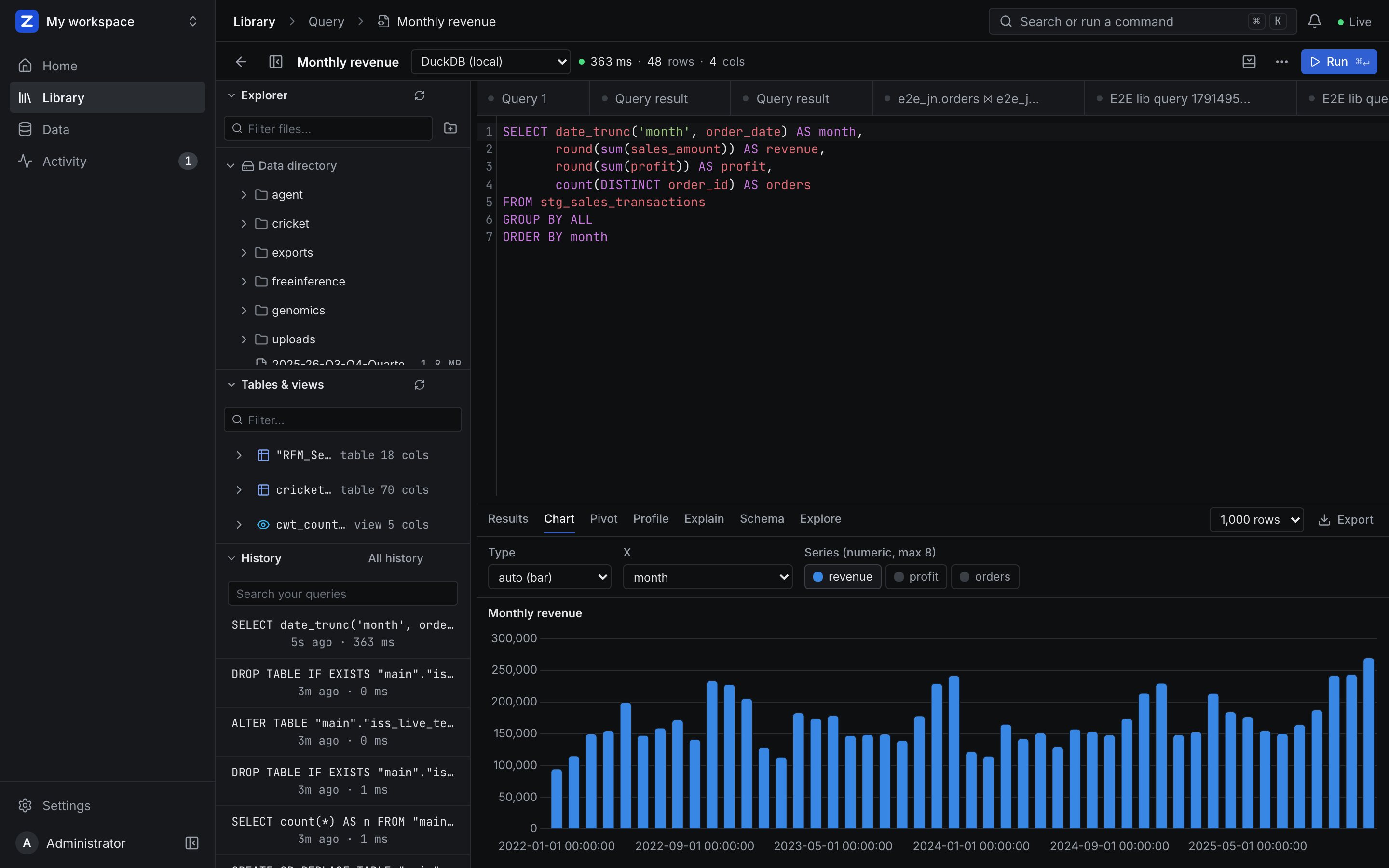
Open SQL. Files are addressed by path, relative to the data directory:
SELECT region, sum(revenue) FROM 'sales.parquet' GROUP BY 1;
SELECT * FROM read_csv('events/*.csv');
CREATE TABLE top AS SELECT * FROM 'sales.parquet' ORDER BY revenue DESC LIMIT 100;
⌘↵ runs. Switch the result between the grid, a chart, a pivot, a profile and the measured plan. A statement that changes data asks for approval first. Save keeps the query in the library; Notebooks keep an analysis as cells — see Notebooks.
Build something#
- Dashboards → New dashboard: a grid of KPIs, charts, tables, maps and notes, or a cross-filtered Mosaic dashboard. See Dashboards.
- Apps → New app: a Streamlit, Dash or Gradio app from a template, a dashboard or saved queries. See Data apps.
- Ask AI (the AI button, or ⌘J) sees what is on screen and builds a dashboard or an app from a checked plan.
Share with your team#
The workspace switcher's Share… grants people or teams viewer, editor or owner. Teams are managed in Settings, or mirrored from your identity provider. See Sharing and teams and Governance.
Hand work to an agent#
- ZAANIX Agent is the app for handing over data work: choose the data, say what you need, approve what it changes. It runs next to ZAANIX; see ZAANIX Agent.
- Your own agents reach ZAANIX over MCP. Mint a token under Agents, then:
claude mcp add --transport http zaanix http://localhost:4200/mcp \
  --header "Authorization: Bearer zx_…"
Any statement that changes data comes back as an approval first. See MCP, A2A and ZAANIX AI.
Where things live#
| Path | What |
|---|---|
/data (image) · ./data (source) | The data directory: every file DuckDB reads or writes, uploads, exports, workspace files |
/app/meta/zaanix_meta.db | SQLite metadata (users, workspaces, dashboards, connections, audit) unless DATABASE_URL points at PostgreSQL |
/tmp/zaanix_spill | DuckDB's spill directory; a tmpfs in Compose, an emptyDir in Kubernetes |
zaanix.config.yaml | Configuration with ${VAR:-default} placeholders; see Configuration |